After installing/uninstall some programs, the “Folders” pane in Windows Explorer may not work anymore. Most often it will just display a gray background and not show the folder tree. Other times, it may show something other than the expected folder tree. If the “Folder” pane on your computer looks like this:
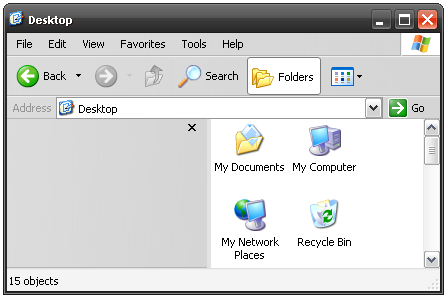
a simple registry fix can solve the problem.
This problem occurs when a registry key is damaged or delete. To repair this registry:
- Download this file to a convenient location.
- Double-click on the download file.
- Respond in the affirmative to any prompts.
That should do it. You may need to restart your computer to see the changes. As always, you should back up your computer before making changes to the registry.